![logo1.png]](https://centraldeajuda.lingopass.com.br/hs-fs/hubfs/logo1.png?height=40&name=logo1.png)
To participate in live events at Lingopass, follow these instructions:
1. Access the Virtual Room:Click on the desired event to enter the waiting room.
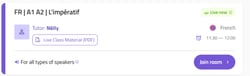
If the tutor has not started the session yet, a message will appear asking you to wait.
2. Join the Room:
Once the tutor starts, you will see the number of participants and the "Join live class" button. Click it to access Meet Lingopass.
3. Participate in the Class:
-
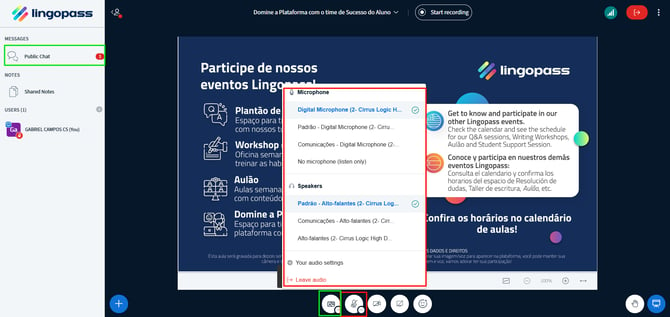
Once you join the room, you can turn on your microphone and closed captions (CC). If you prefer, you can also turn on your camera and use the chat.
4. Leaving the Room:
Click on the top right corner of the screen and select "Leave" to exit the room.
5. Recordings:-
Live classes are recorded and available for up to 10 days.
-
If you do not want your voice or image to be recorded, use the chat to communicate.